
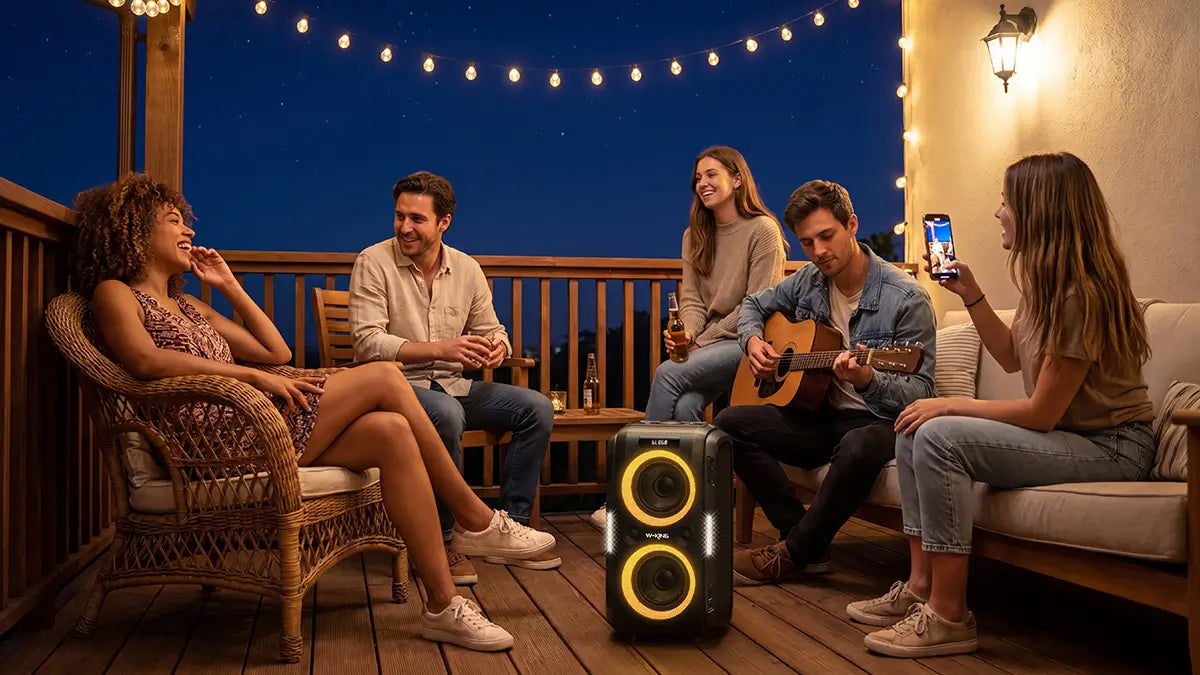
If you've ever tried to fill a backyard, beach, or large room with sound from a single Bluetooth speaker, you already know the problem: one speaker is rarely enough. Connecting two speakers via TWS (True Wireless Stereo) solves this — and it's simpler than most people expect.
This guide walks you through exactly how TWS works, how to set it up, what to watch out for, and which W-KING speakers make the most sense depending on your situation.
What TWS Actually Does
TWS stands for True Wireless Stereo. When you activate it, two speakers of the same brand pair directly with each other — one becomes the primary (connected to your phone via Bluetooth), and the other becomes the secondary (receiving audio from the primary via a separate wireless link).
The result is either true stereo playback — left channel from one speaker, right channel from the other — or doubled mono output, where both speakers play the same audio at higher combined volume. Most W-KING speakers use Bluetooth 5.0, which provides a stable TWS link with low latency. Most W-KING speakers default to stereo mode when TWS is active.
Your phone only sees one device. You connect to the primary speaker as normal, and the TWS link handles the rest automatically.

TWS vs. Daisy Chain: What's the Difference?
These two terms come up together often, but they describe very different setups.
TWS is fully wireless. The two speakers communicate directly with each other over Bluetooth — no cables between them. You connect your phone to one speaker, and the TWS link carries audio to the second. The entire system runs wirelessly from source to both outputs.
Daisy chaining refers to wiring speakers together in a chain, typically via 3.5mm aux or RCA cables. Some speakers support this for expanding a wired system, but it requires physical connections between each unit and is limited by cable length and impedance matching.
For outdoor and portable use — which is the primary use case for W-KING speakers — TWS is the practical choice. There are no cables to manage, no distance constraints from wire length, and setup takes under 30 seconds once you know the process.
How to Set Up TWS on W-KING Speakers
The process is consistent across most W-KING models:
- Power on both speakers and make sure neither is currently connected to a phone or other device.
- Press and hold the TWS button on both speakers for 3 seconds. On some models, this is a dedicated button labeled TWS; on others, it may be a double-press of the power button. Check your model's manual if you're unsure.
- Wait for the pairing tone. You'll hear a confirmation beep, and one speaker will announce itself as the left channel, the other as the right.
- Open Bluetooth on your phone and connect to the primary speaker as you normally would.
- Audio will now play through both speakers simultaneously.
If the speakers don't pair on the first attempt, turn both off, clear any existing Bluetooth connections on your phone, and start again from step one. Most pairing failures come from one speaker still being connected to a previous device.

Speaker Placement for TWS
Where you position the two speakers matters as much as how you connect them. Getting placement right is the difference between a noticeable upgrade and a setup that sounds no better than one speaker.
For stereo mode, place the speakers 2 to 4 meters apart, angled slightly inward toward the listening area. Think of it like a home stereo setup — the stereo image forms between the two speakers, so you want to be positioned in front of them, not off to the side. This works well for a patio seating area, a poolside setup, or a living room.
For mono (party) mode, placement is about coverage rather than imaging. Position the speakers at opposite ends of the space, or at two corners of an outdoor area, both facing the crowd. This distributes sound evenly and avoids the dead zones you get when everyone is clustered around a single speaker.
W-KING speakers like the X10 and X20 are built with outdoor projection in mind — the drivers and port design push sound forward and outward rather than upward. Placing them at roughly ear height on a flat surface or low stand gives you the best throw distance. Keep the two speakers within 10 meters of each other to maintain a stable Bluetooth 5.0 TWS link; beyond that range, the connection may drop intermittently.
TWS on Other Brands
The setup process varies by brand, though the underlying concept is the same.
JBL calls their version PartyBoost. Press the PartyBoost button on each speaker and wait for the connection tone. JBL allows you to toggle between stereo and party (mono) mode after pairing, which is useful if you want to place both speakers in the same area for maximum volume rather than separating them for stereo effect.
Ultimate Ears uses a feature called PartyUp, activated via the Magic Button on each speaker. UE also offers an app that gives you more control over the pairing and mode selection.
One important rule applies across all brands: TWS only works between speakers from the same brand using the same protocol. A W-KING speaker cannot pair via TWS with a JBL or any other brand. This is not a limitation that can be worked around — the protocols are proprietary and incompatible by design.
Stereo vs. Mono: Which Should You Use?
This is the question most people don't think about until after they've set up TWS, and it makes a real difference depending on how you're using the speakers.
Stereo mode separates the left and right audio channels between the two speakers. This works well when you're listening to music in a fixed position — at a desk, in a living room, or in a smaller outdoor area where you can actually perceive the stereo field. The speakers should be placed a few meters apart and facing the listening area.
Mono mode (sometimes called Party Mode) sends the same full audio signal to both speakers. This is the better choice for parties, outdoor events, or any situation where people are moving around and you need consistent coverage across a wider area. Stereo separation is lost, but volume and coverage improve significantly.
For most outdoor use cases — which is where W-KING speakers are most commonly used — mono mode is the more practical choice.
How Much Louder Are Two Speakers?
Combining two speakers doesn't double the perceived volume. In acoustic terms, doubling the power output increases loudness by approximately 3dB — noticeable, but not dramatic on its own. The more meaningful benefit is coverage: two speakers placed strategically can fill a space far more evenly than one speaker pushed to its limits.
| Setup | Combined Power | Volume Change | Best Use |
|---|---|---|---|
| 1 speaker | Baseline | — | Personal listening, small groups |
| 2 speakers (stereo) | 2x | +3dB | Music listening, fixed listening position |
| 2 speakers (mono) | 2x | +3dB + wider coverage | Parties, outdoor events, moving crowds |
The real advantage of TWS isn't raw volume — it's the ability to cover more space without distortion, and to create a proper stereo image when the situation calls for it.
W-KING TWS Output Reference
| Model | Single Speaker | TWS Pair Output | Bluetooth Version | Codec Support * |
|---|---|---|---|---|
| W-KING D8 | 90W | 180W | 5.0 | SBC (standard) |
| W-KING X10 | 120W | 240W | 5.0 | SBC (standard) |
| W-KING T9-2 | 180W | 360W | 5.0 | SBC (standard) |
| W-KING X20 | 200W | 400W | 5.0 | SBC (standard) |
* Codec support listed is the guaranteed baseline. Refer to each model's product page for full specifications.
Compatibility: Same Model vs. Different Models
W-KING recommends pairing two speakers of the same model for TWS. This ensures the audio processing, latency, and volume levels are matched. In practice, some users have successfully paired different W-KING models, but results vary — you may experience volume imbalance or one speaker dropping out intermittently.
If you're buying a second speaker specifically for TWS use, buy the same model you already own. It's the only way to guarantee consistent performance.
| Brand | TWS Feature Name | Same Model Required? | Cross-Model Support |
|---|---|---|---|
| W-KING | TWS | Recommended | Partial, varies by model |
| JBL | PartyBoost | No | Yes, across PartyBoost models |
| UE | PartyUp | No | Yes, via UE app |
| Anker | TWS | Yes | No |
| Sony | Wireless Party Chain | No | Yes, compatible models only |

Troubleshooting TWS Connection Problems
Speakers won't pair with each other. The most common cause is that one or both speakers are still connected to a phone or previous device. Turn both speakers off, disconnect them from all devices in your Bluetooth settings, then start the TWS pairing process again from scratch.
Only one speaker is producing sound. This usually means the TWS link dropped after initial pairing. Turn both speakers off and re-pair. Make sure they're within reasonable range of each other — TWS links are typically stable up to 10 meters between the two speakers, though walls and interference can reduce this.
There's an audible delay or echo between the two speakers. Move the speakers closer together. Wireless interference from other devices (routers, other Bluetooth devices) can cause timing issues. If the problem persists, try changing your environment or turning off nearby wireless devices.
The TWS button doesn't seem to do anything. Some W-KING models activate TWS through a different button combination. Refer to the quick-start guide that came with your specific model, or check the W-KING support page for your model number.
The connection drops frequently during playback. Ensure both speakers are adequately charged. Low battery on either speaker can cause instability in the TWS link. Also check that your phone stays within range of the primary speaker — if your phone disconnects from the primary, the entire TWS chain drops.
Full Reset Procedure
If you're experiencing persistent issues, a full reset often resolves them:
- Turn off both speakers completely.
- On your phone, go to Bluetooth settings and forget both speakers.
- Power on one speaker at a time and allow it to fully boot.
- Re-enter TWS mode on both speakers following the standard procedure.
- Reconnect your phone to the primary speaker only.
Which W-KING Speakers to Buy for TWS
If you're choosing a W-KING speaker with TWS use in mind, here's how the current lineup breaks down by use case, battery life, and budget.
| Model | Single Price | Power | Battery Life | TWS Pair Cost | Suited For |
|---|---|---|---|---|---|
| W-KING D8 | $109.99 | 90W | Up to 40 hrs (low vol) / 13 hrs (70%) / 5 hrs (max) | $219.98 (180W) | Camping, small outdoor gatherings, patios |
| W-KING X10 | $135.99 | 120W | Up to 42 hrs | $271.98 (240W) | Backyard parties, beach days, mid-size events |
| W-KING T9-2 | $139.99 | 180W | Up to 24 hrs (low vol) | $279.98 (360W) | Large outdoor events, open spaces, festivals |
| W-KING X20 | $289.99 | 200W | Up to 24 hrs + 60W fast charge (3 hrs full) | $579.98 (400W) | Professional use, large venues, high-demand events |
Battery life figures are measured at low to moderate volume. At full volume, expect significantly shorter playtime — the D8 drops to around 5 hours at maximum output, which is worth factoring in if you're running a TWS pair at high volume for an extended event. The X10 offers the best combination of output and battery endurance in the lineup. The X20 stands out for its 60W fast charging, which means a 3-hour charge gets you back to full — useful if you're running back-to-back events.
For most users, the X10 or T9-2 pair offers the best balance of output and cost. The D8 pair is a solid entry point if portability and budget are the priority. The X20 pair is for situations where you genuinely need to fill a large space and audio quality at high volume matters.
What to Check Before You Buy a Second Speaker
If you already own a W-KING speaker and are considering buying a second one to use as a TWS pair, there are a few things worth confirming before you order.
First, verify that your current model supports TWS. Most W-KING speakers released in the past three years include TWS, but a small number of older or entry-level models do not. Check the product page or the spec sheet that came with your speaker — TWS will be listed under connectivity features if it's supported.
Second, note your exact model number. W-KING has several models with similar names (D8 and D8 Mini, for example, are different speakers with different drivers and power output). Buying the wrong variant means the TWS pairing may not work as expected.
Third, consider whether you need the same color. TWS performance is identical regardless of color variant, but if you're using the pair for events or in a visible setup, matching units look more intentional.
Common Questions
Can I connect more than two W-KING speakers via TWS?
No. W-KING's TWS implementation supports two speakers only. If you need to cover a larger area with more than two speakers, you would need to use a separate audio source for each pair.
Does TWS drain the battery faster?
Yes, slightly. The primary speaker uses additional power to maintain the TWS link to the secondary. In practice, expect roughly 10 to 15 percent less battery life compared to using a single speaker. Both speakers should be charged before extended use.
Can I pair two different W-KING models?
W-KING recommends using identical models. Different models may pair in some cases, but you risk volume imbalance and connection instability. For reliable performance, use two of the same model.
Is there a noticeable audio delay between the two speakers?
For music playback, the delay is typically under 50ms and not perceptible. However, TWS is not recommended for video playback or gaming, where even small audio sync issues become noticeable.
Does TWS work if I connect via aux cable instead of Bluetooth?
No. TWS requires the primary speaker to receive audio via Bluetooth. If you use an aux cable as the audio input, the TWS function will not activate.
Can I adjust the volume of each speaker independently?
No. Volume is controlled globally — either from your phone or from the primary speaker — and applies equally to both speakers in the TWS pair.
What is the difference between TWS stereo mode and daisy chain?
TWS is fully wireless — the two speakers communicate over Bluetooth with no cables between them. Daisy chaining connects speakers via physical cables (aux or RCA). For portable and outdoor use, TWS is the practical choice: no cables, no distance constraints from wire length, and setup takes under 30 seconds.
Share:
Bluetooth Speaker Battery Life: Real-World vs Marketing Claims
Sound That Shows Up When It Matters — The W-KING Story